EdTech Product Design | AI-Assisted Development | UX
Learning Horizons
Designing an AI-supported curriculum and learning platform
Project overview
Designing an AI-supported curriculum and learning platform
A curriculum-centred platform concept created in response to the practical challenge of coordinating coverage, pacing and shared teaching resources.
Product walkthrough
Learning Horizons in Action
Explore the Learning Horizons prototype through a guided demonstration of its curriculum planning, content development and learning management features.
The walkthrough uses fictional demonstration data to present the teacher dashboard, curriculum and content-development workflows, AI-assisted suggestions with teacher approval, and learner-facing activities.
The challenge
Starting with a real educational need.
While teaching Grade 2, my co-teacher and I needed a consistent way to monitor curriculum coverage and pacing. Without prescribed textbooks across every learning area, we also needed to create, organise, adapt and share resources efficiently.
Design objectives
Make the curriculum map the foundation of planning.
Connect learning objectives, lessons, resources and activities.
Support teachers without replacing professional pedagogical judgement.
Create a foundation that could later support students and parents.
Design approach
Process and decisions
01Identify the educational need and classroom context
02Define requirements, users and evidence boundaries
03Map curriculum relationships and user workflows
04Direct AI-assisted prototype development
05Test functionality and review usability
06Refine workflows, interfaces and features
My role and contributions
Educational direction, product decisions and iterative development.
01
Educational Requirements
Identified classroom challenges and defined the platform’s intended functionality.
02
Learning Design
Established relationships between curriculum objectives, lessons, resources and assessment.
03
Product Design
Defined user workflows and reviewed interface decisions for teacher, student and parent concepts.
04
AI-Assisted Development
Directed development with AI-assisted coding tools and reviewed generated functionality.
05
Testing and Iteration
Tested the prototype, identified problems and refined workflows, interfaces and features.
Development status
A functional prototype prepared for further testing.
Current prototype
Curriculum, planning, resource, assessment and role-based interface concepts are functional and represented in the gallery.
In development
Features and workflows continue to be refined through functional testing and interface review.
Evaluation next steps
Structured usability sessions and implementation planning will guide any future school or classroom evaluation.
The Solution
The prototype centres curriculum requirements rather than treating them as a secondary reference.
Teacher workflows support curriculum mapping, objective tracking and resource organisation.
AI-assisted concepts focus on objectives, materials, adaptation and activity planning.
The broader product vision includes distinct teacher, student and parent access, but planned features are not presented as implemented.
Project media
Interface gallery
11 project screenshots
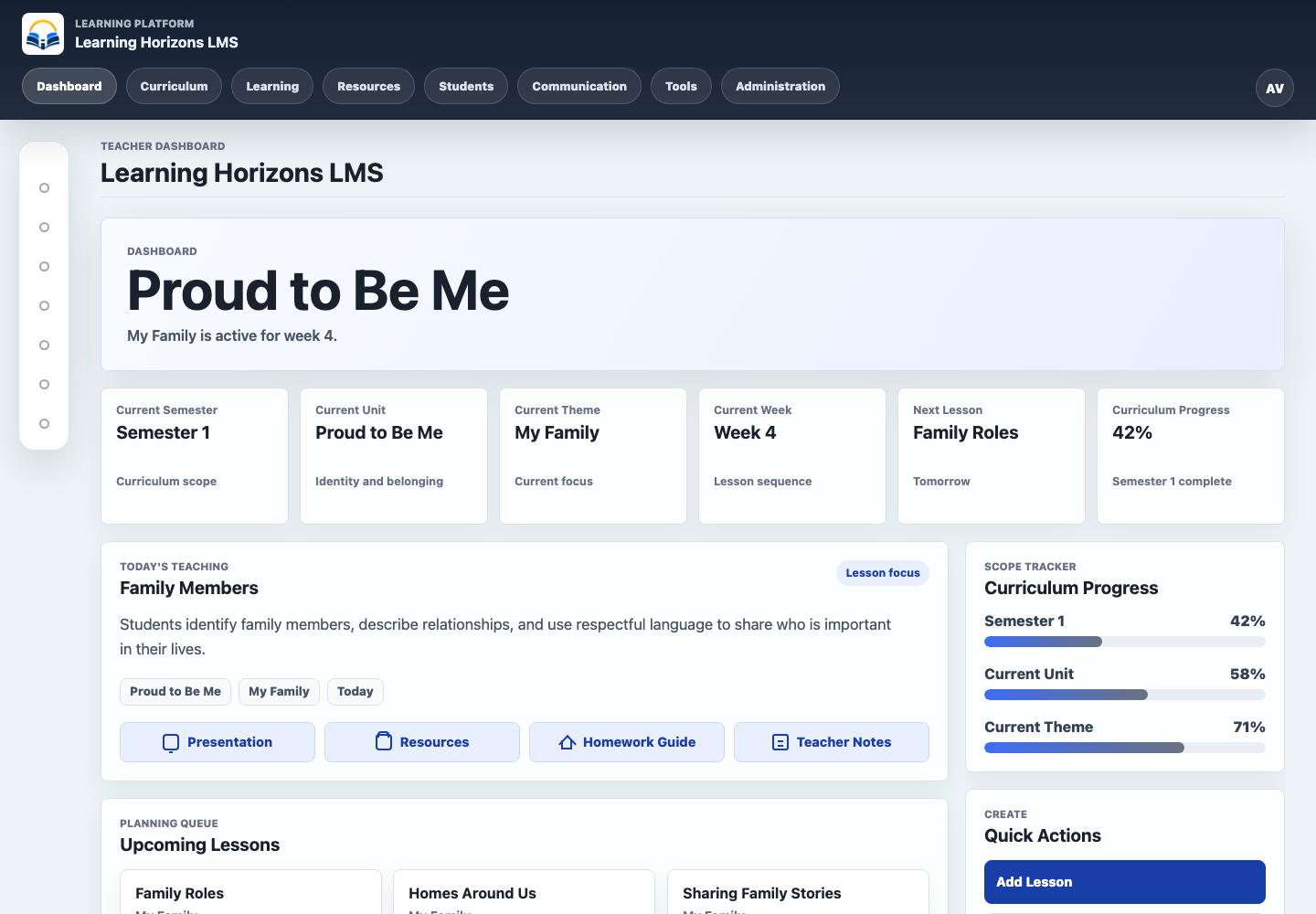
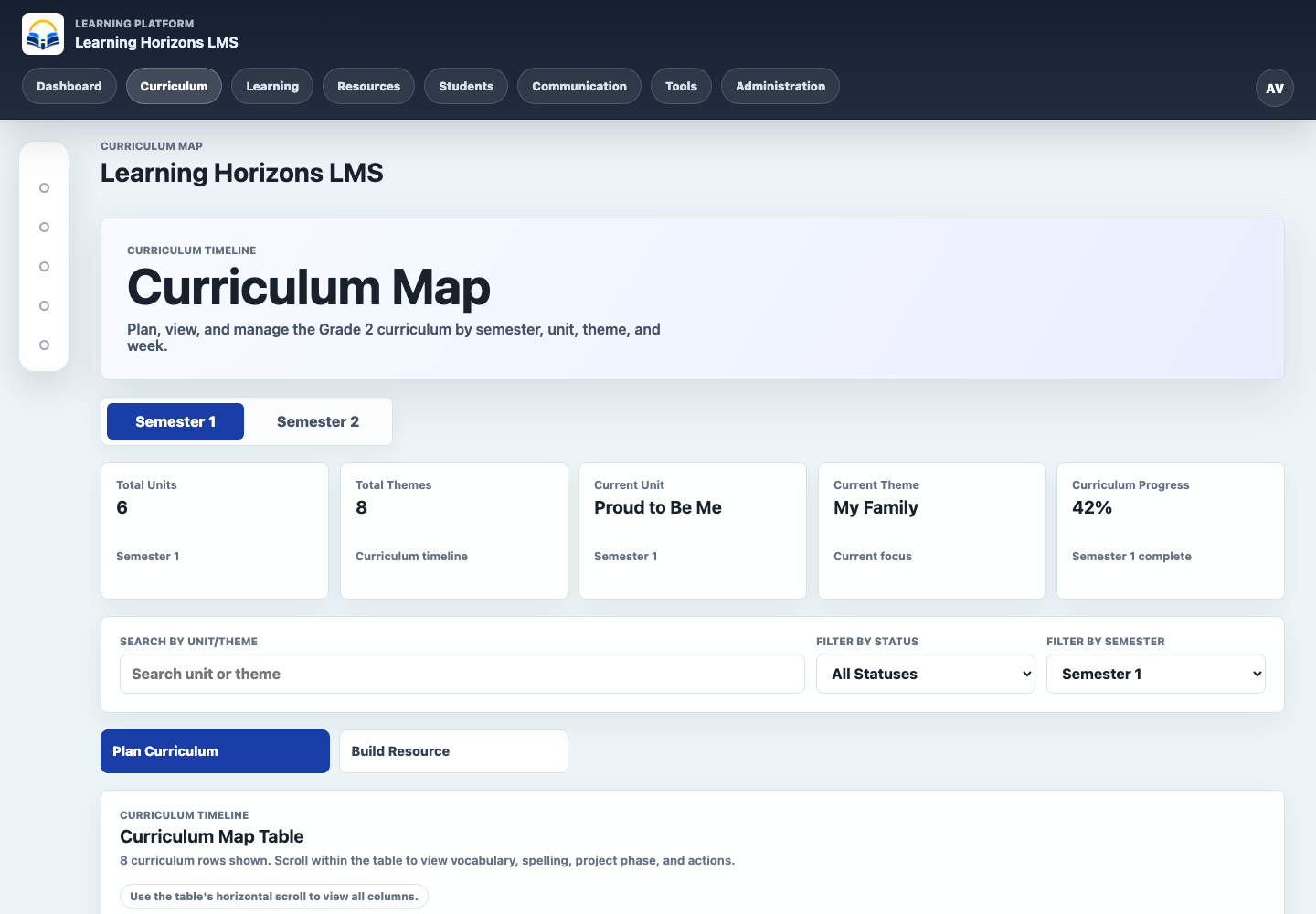
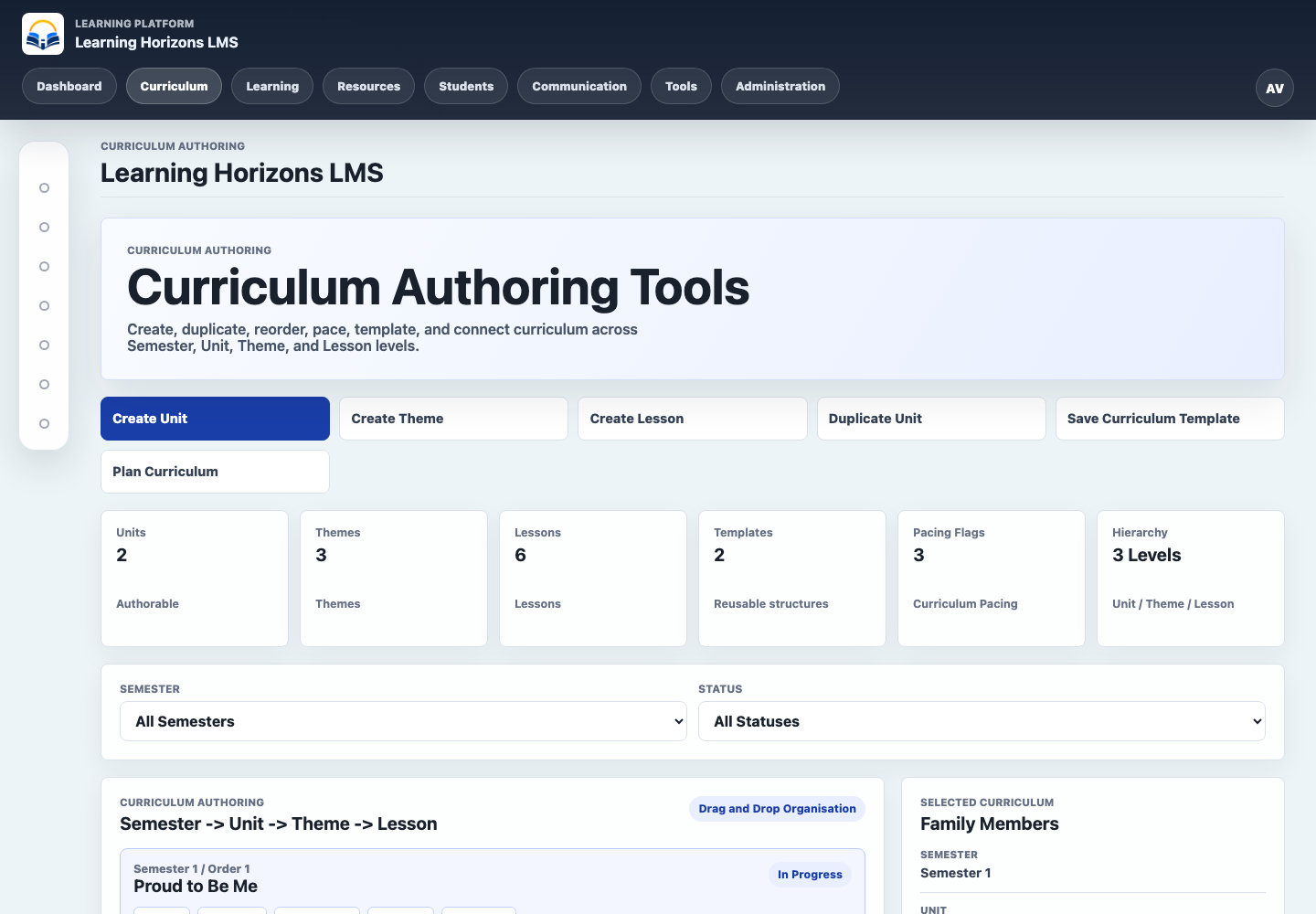
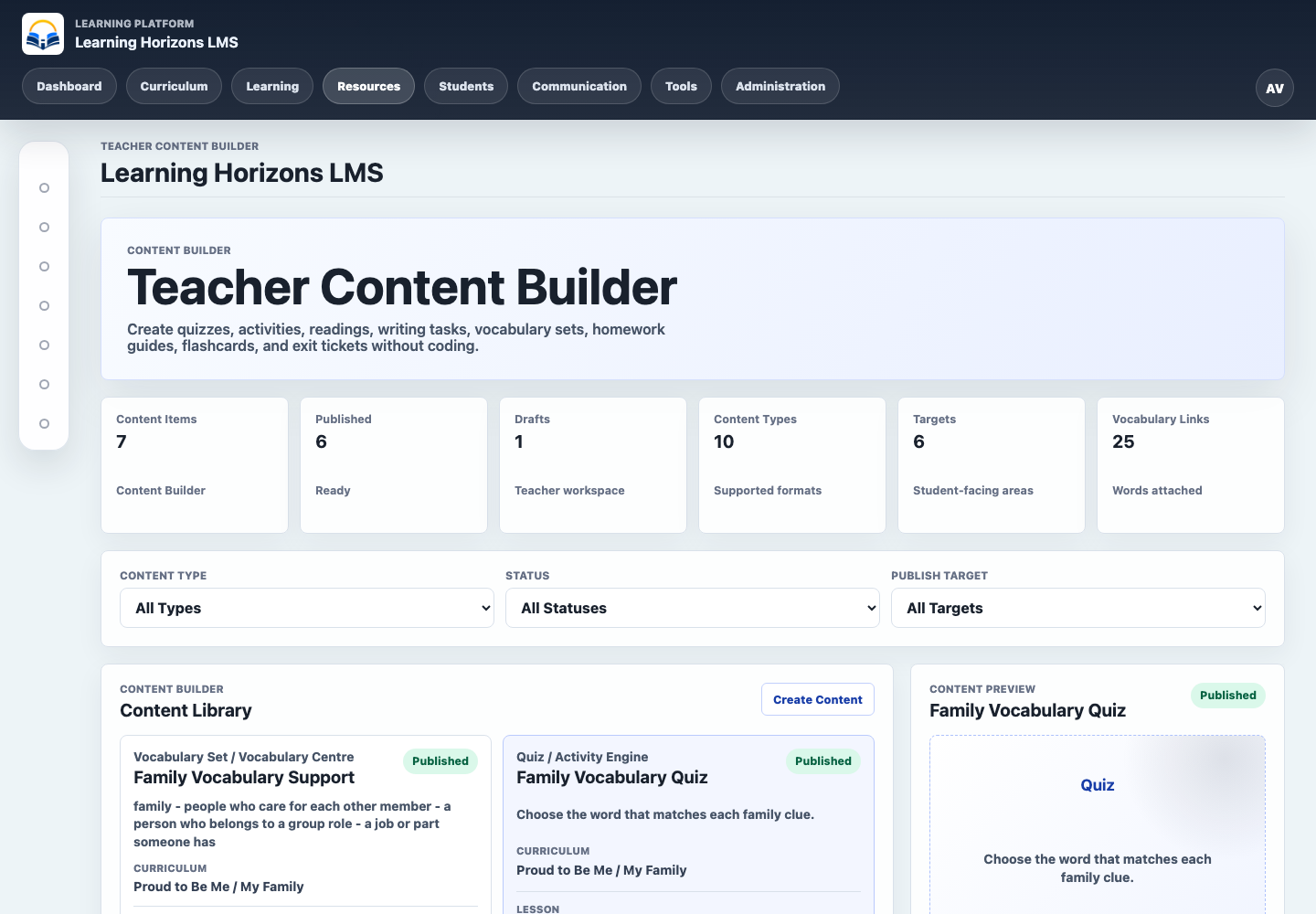
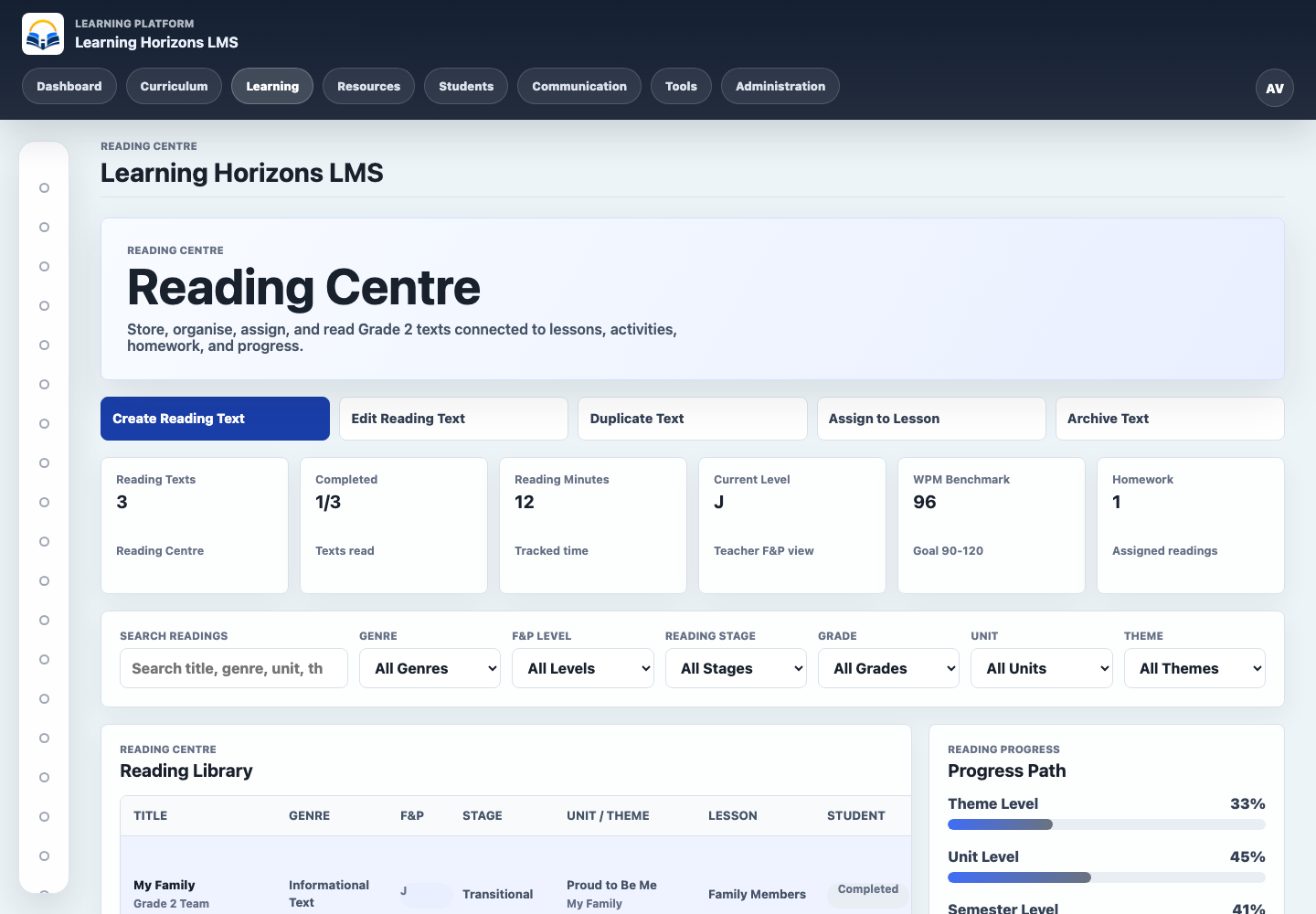
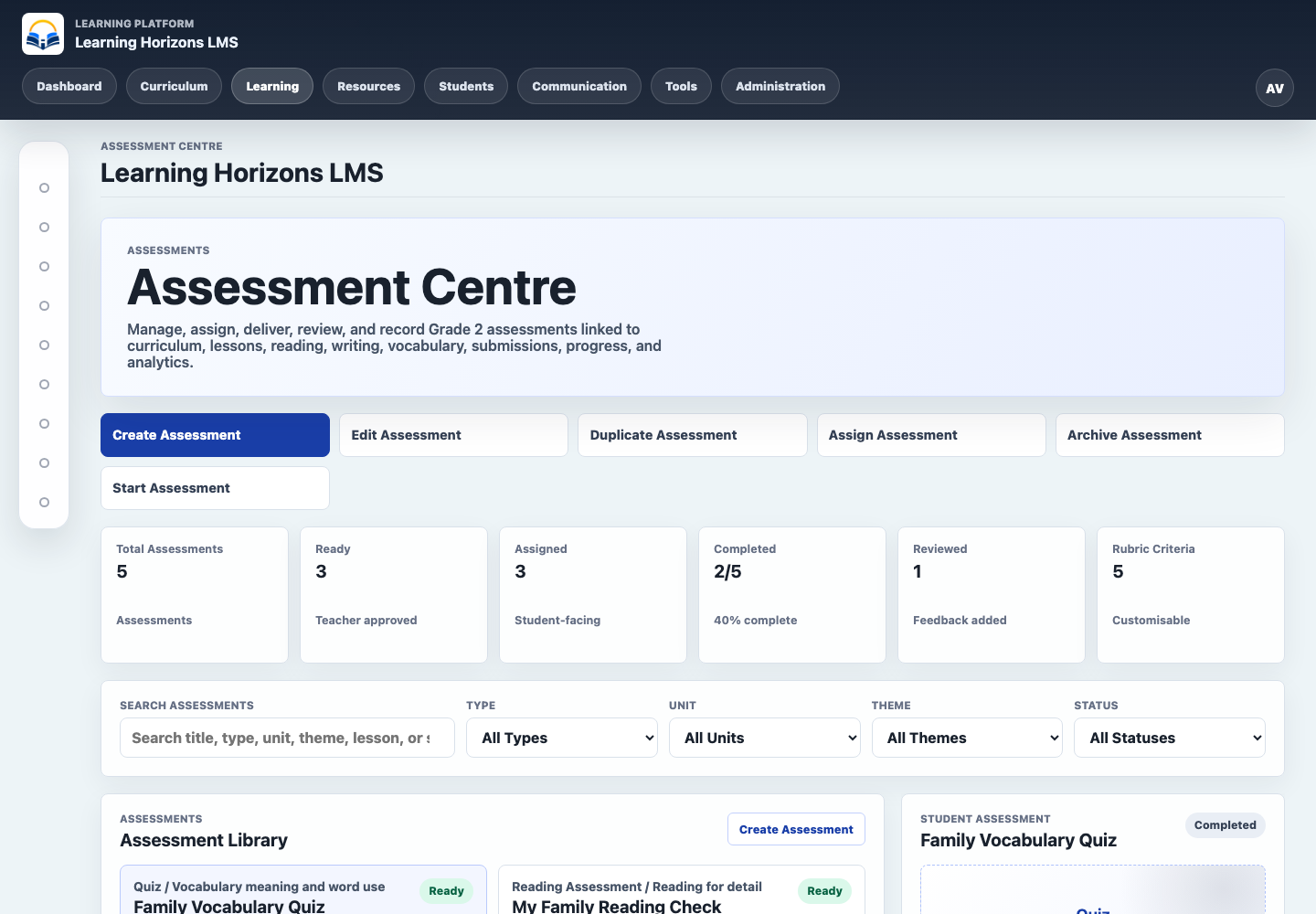
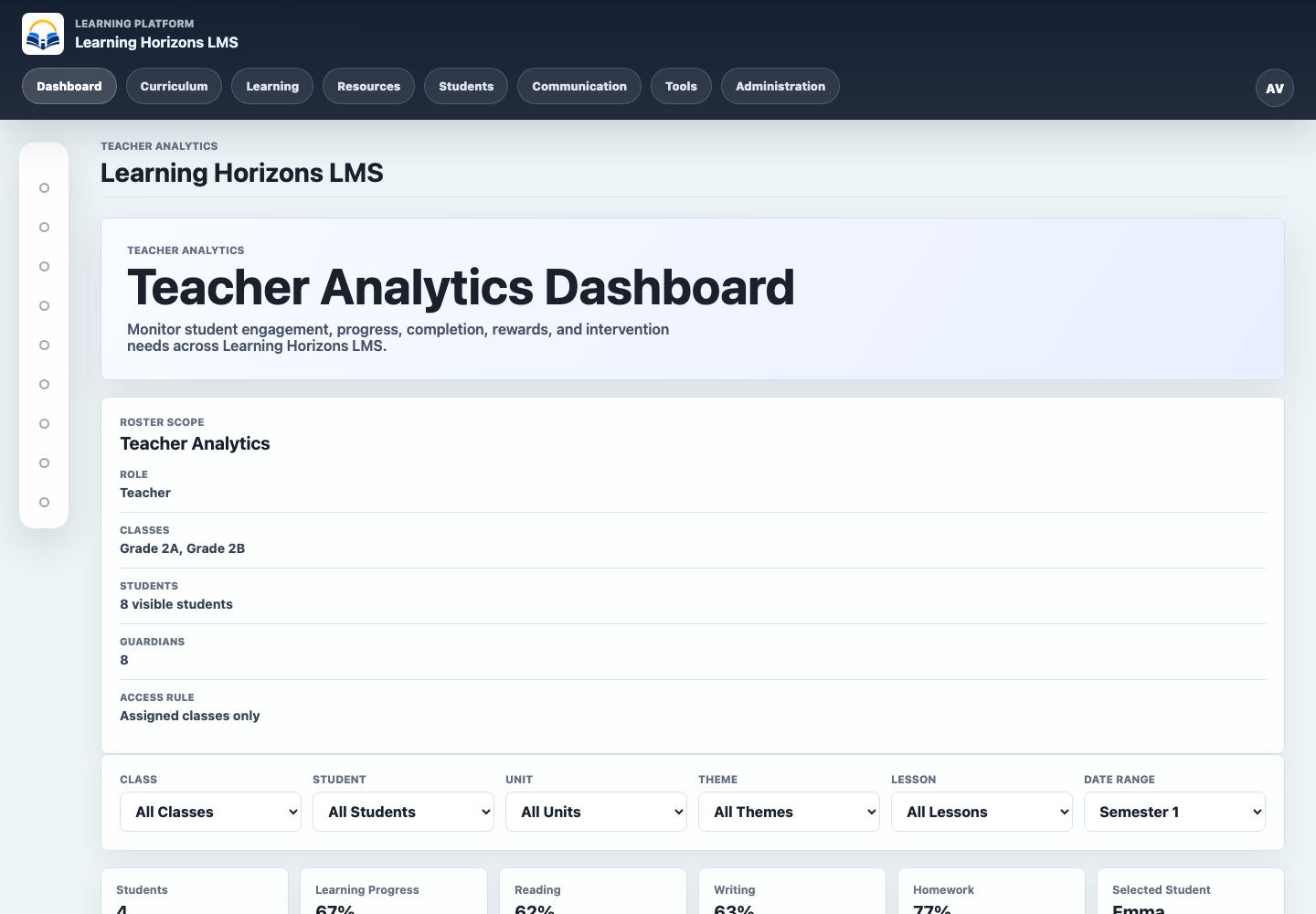
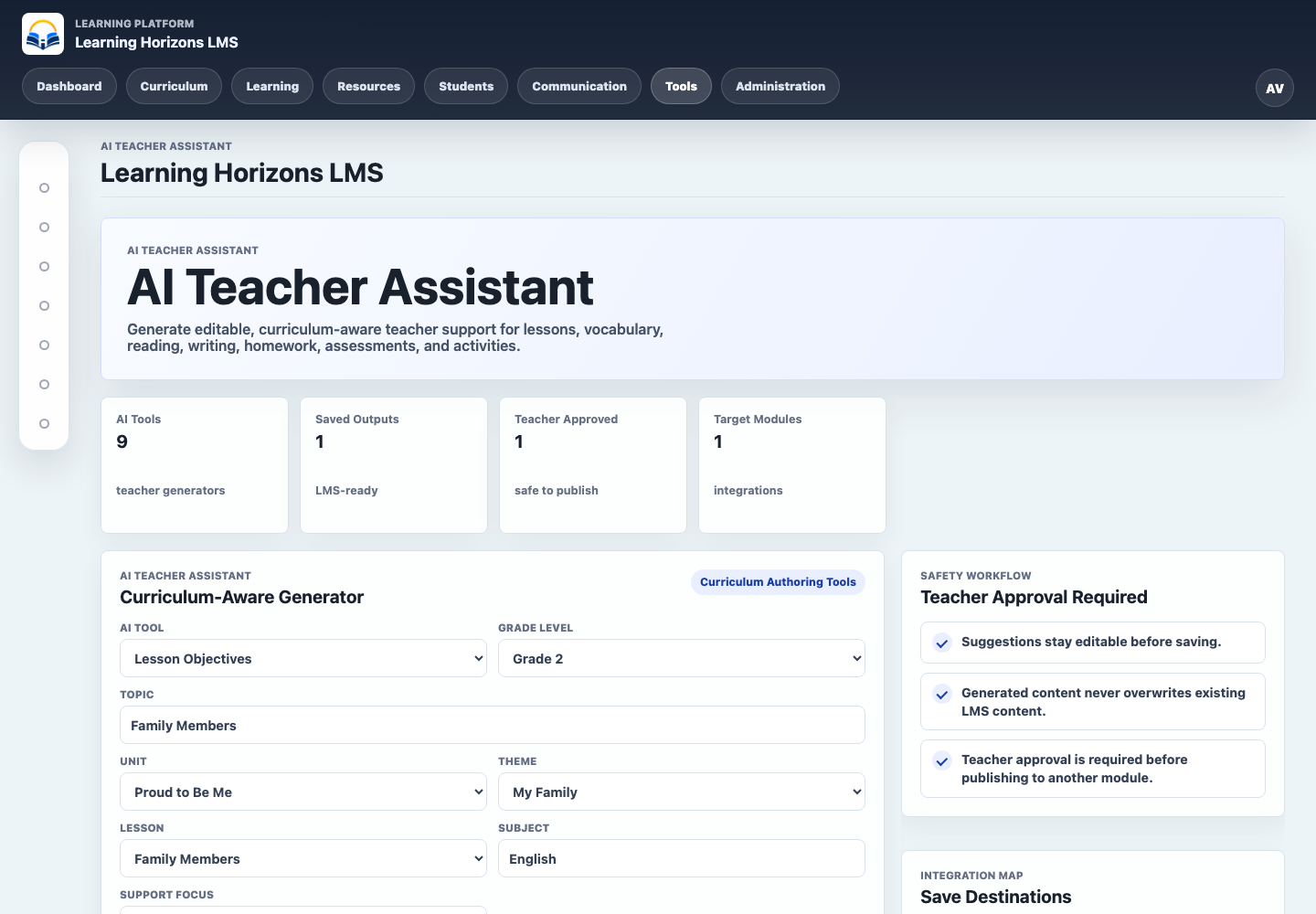
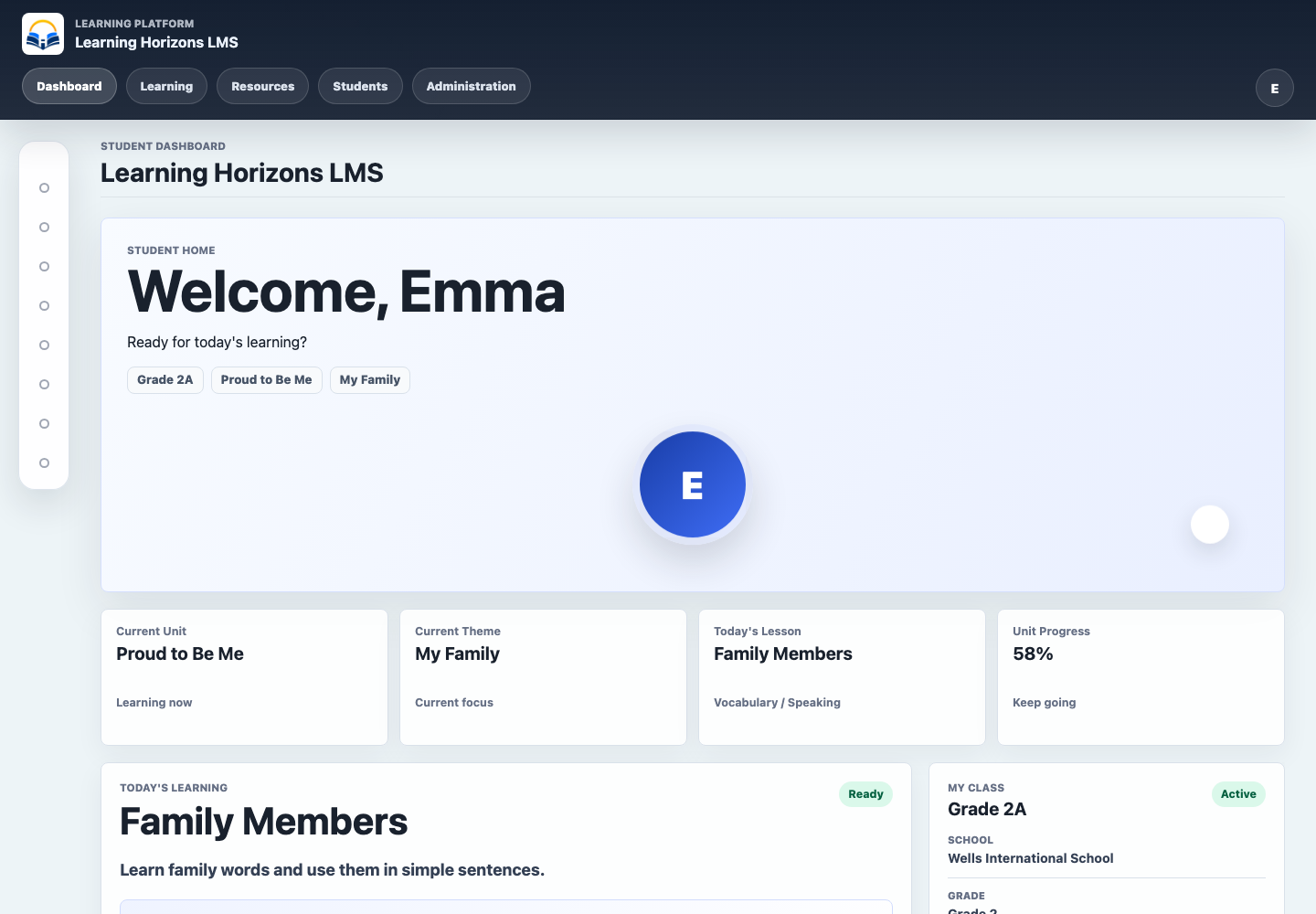
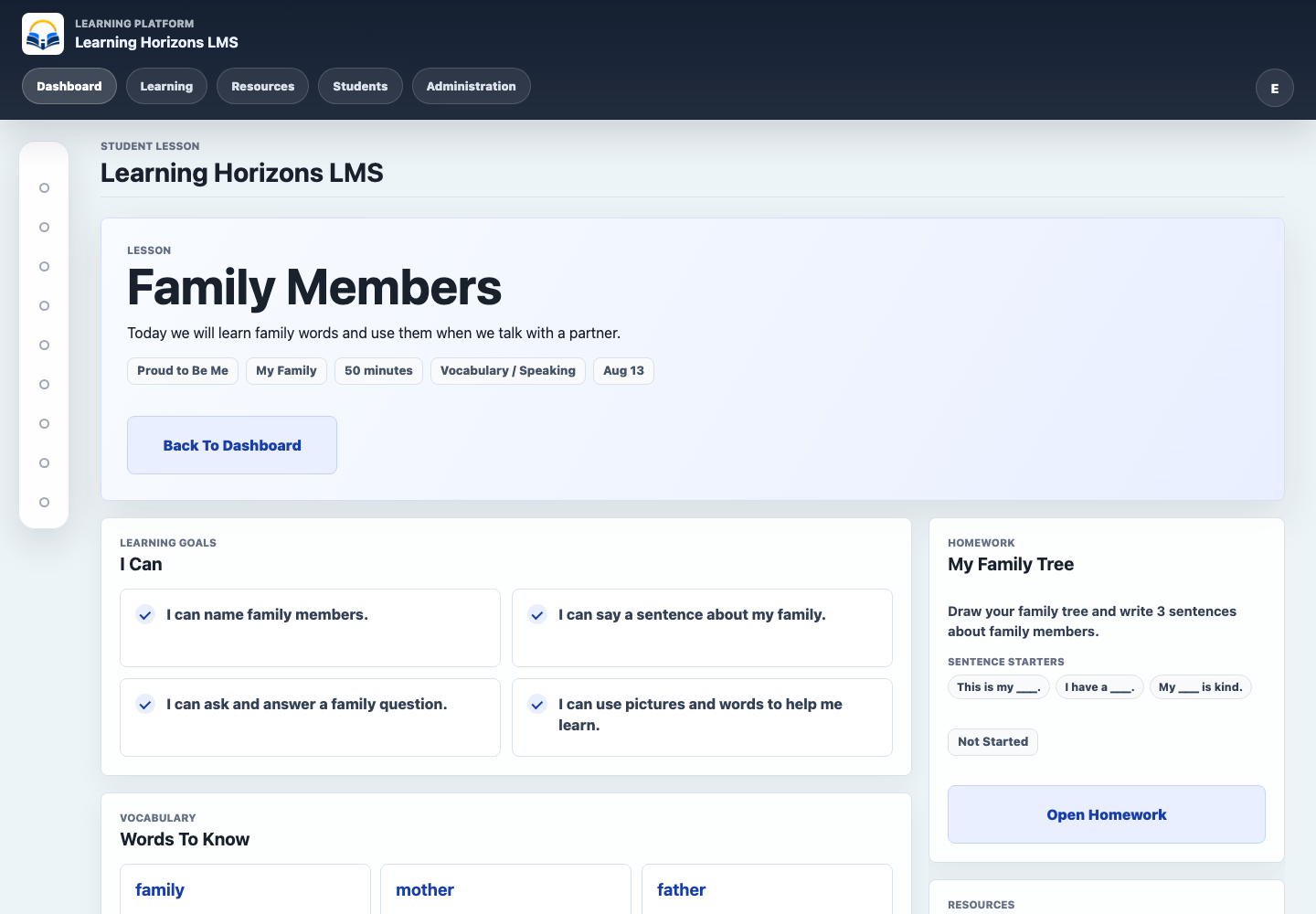
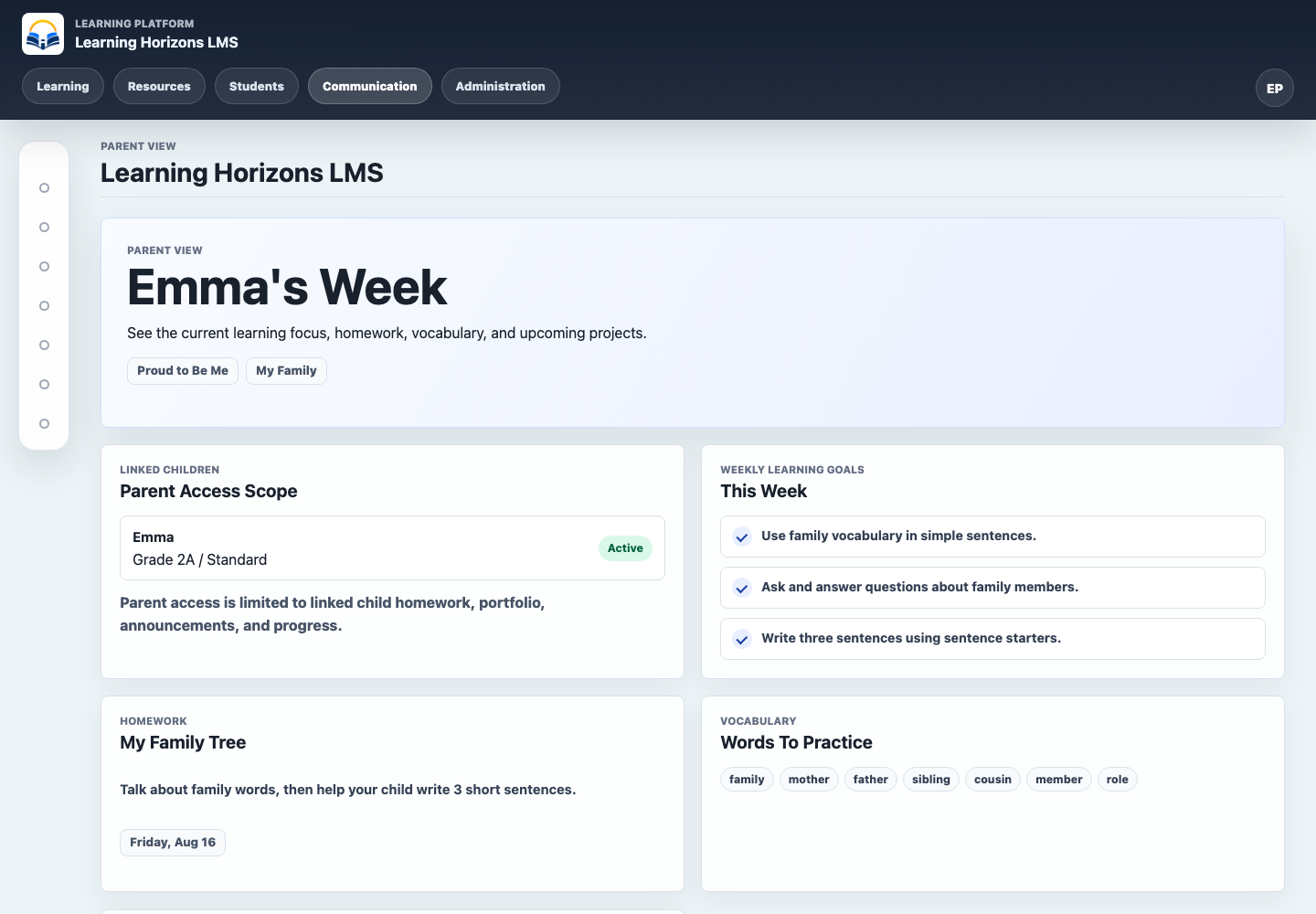
01Teacher dashboardCurrent semester, theme, lesson focus and planning actions.02Curriculum mapSemester, unit, theme and lesson relationships in one planning view.03Curriculum authoringTools for creating reusable units, themes, lessons and templates.04Teacher content builderNo-code authoring for activities, quizzes, vocabulary and other curriculum-linked resources.05Reading CentreA curriculum-linked library with authoring actions and progress context.06Assessment CentreAssessment creation, assignment, review and status monitoring.07Teacher analyticsClass scope, filters and summary measures for curriculum-informed decisions.08AI Teacher AssistantCurriculum-aware generators with saved drafts and a visible approval workflow.09Student dashboardA simplified learner view of the current unit, lesson and progress.10Student lessonLearning goals, vocabulary and linked homework in a focused lesson view.11Parent dashboardWeekly goals, homework and vocabulary scoped to a linked child.
Learning Design Rationale
AI should reduce avoidable planning friction while leaving instructional decisions with the teacher.
Clear relationships between curriculum requirements and resources make the educational purpose of each item visible.
Role-specific experiences reduce complexity for different audiences.
Implementation
A conventional top navigation was reconsidered after testing suggested it might not be intuitive enough for younger learners.
The interface was reworked around a clearer visual sidebar—an example of adapting a product decision to the needs of its users.
Evaluation and Evidence
Functional and usability testing informed repeated interface refinements.
Formal classroom implementation and outcomes evaluation have not yet taken place.
Limitations
The prototype has not been formally implemented in a school.
Teacher-efficiency and learner-outcome measures have not yet been collected.
Student information and live administrative access are intentionally excluded from this portfolio.
Reflection
This project strengthened my ability to translate a classroom problem into product requirements and workflows.
It also reinforced that interface conventions should be tested against the needs and expectations of the intended users.
Future improvements
Conduct structured usability sessions with representative users.
Define an implementation and evaluation plan before school use.
Develop privacy-safe demonstrations for the student and parent concepts.
Supporting evidence
Case study documents
Open the formatted PDF case study and supporting source material.